
Verification on "Youtrade"
This guide details the process of completing verification (KYC) on the YouTrade platform, as well as the cases when verification is mandatory. Step 1. Go to the 'Account Settings' tab.
This guide details the process of completing verification (KYC) on the YouTrade platform, as well as the cases when verification is mandatory.
Step 1. Go to the 'Account Settings' tab
Go to your personal account and open the 'Account Settings' tab.
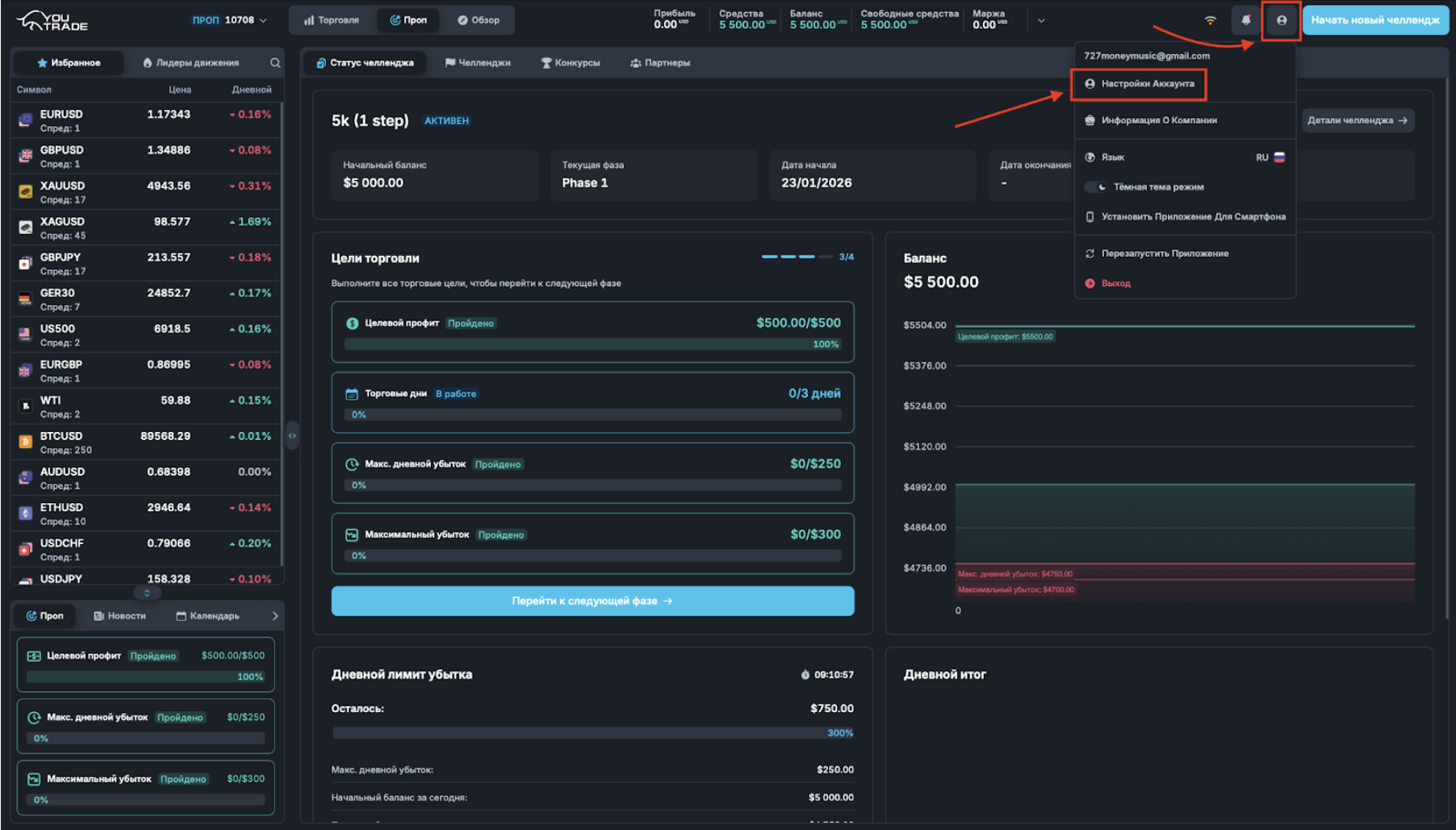
Step 2. Fill out the form and upload documents
Open the 'Personal Data' tab and fill in all mandatory fields.
Then attach the following documents:
- ID / Passport
- Proof of Address — proof of residence address
After filling out the form and uploading the documents, click the 'Submit Verification Request' button.
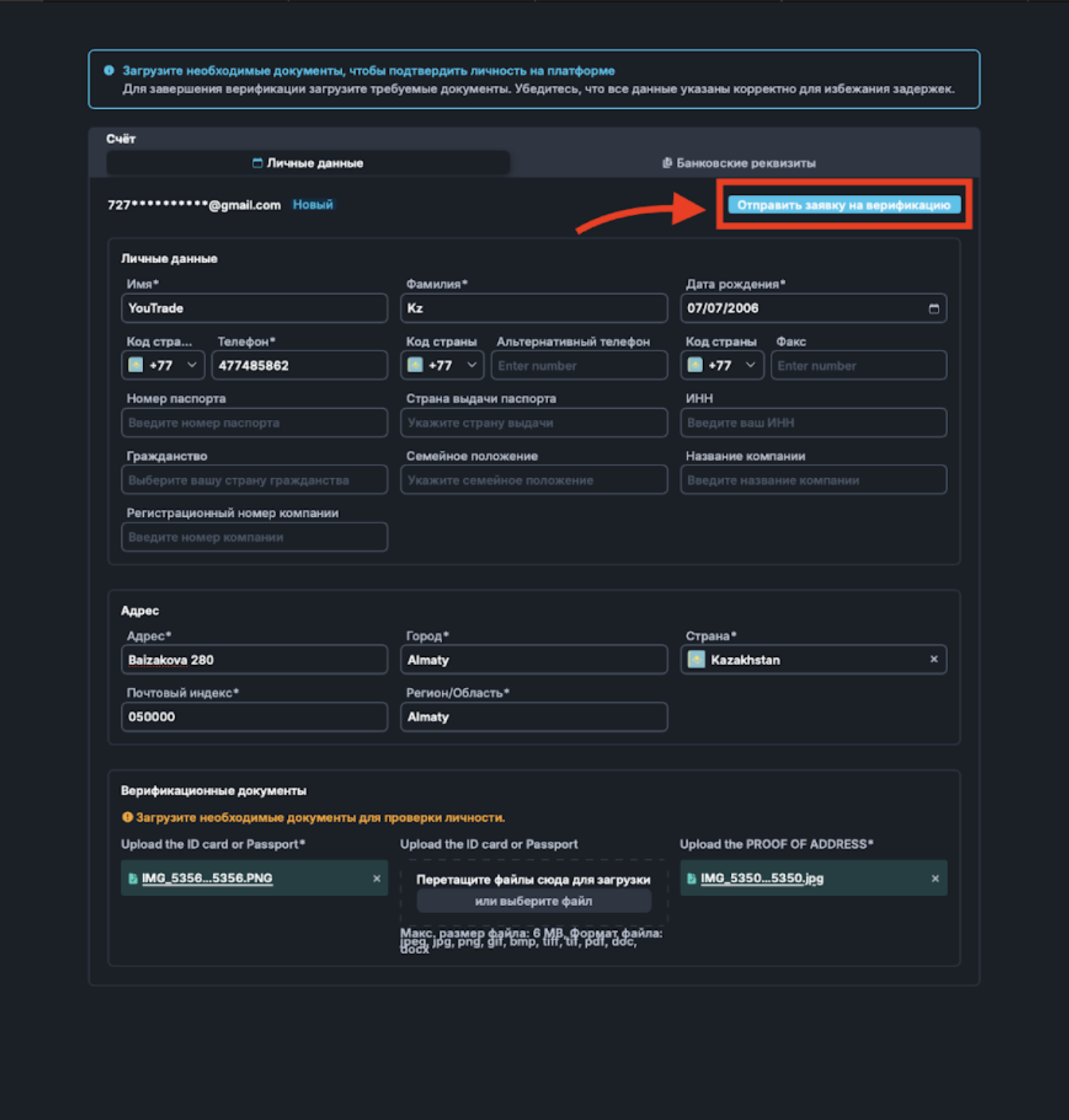
Step 3. Confirming the submission of the request
After clicking the 'Submit Verification Request' button, a modal window 'Final Step' will appear.
Important: after submission, you will not be able to edit the data and documents until the verification is complete.
Click the 'Confirm' button.
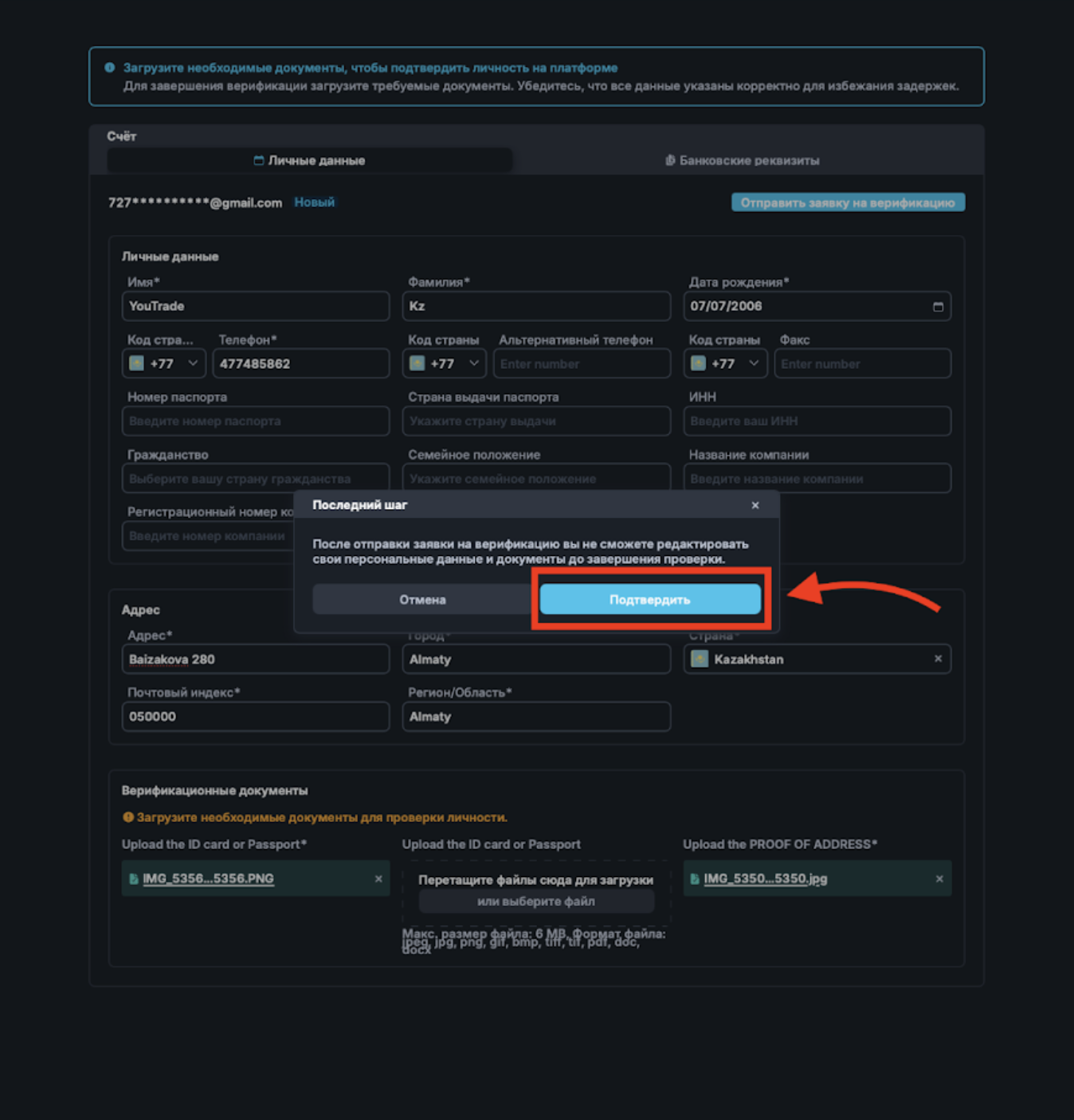
Step 4. Status 'Pending Verification'
If the request is successfully submitted, a notification will appear at the top of the interface:
'Your account is pending verification'.
At this stage, the account is under review by the compliance/moderation team.
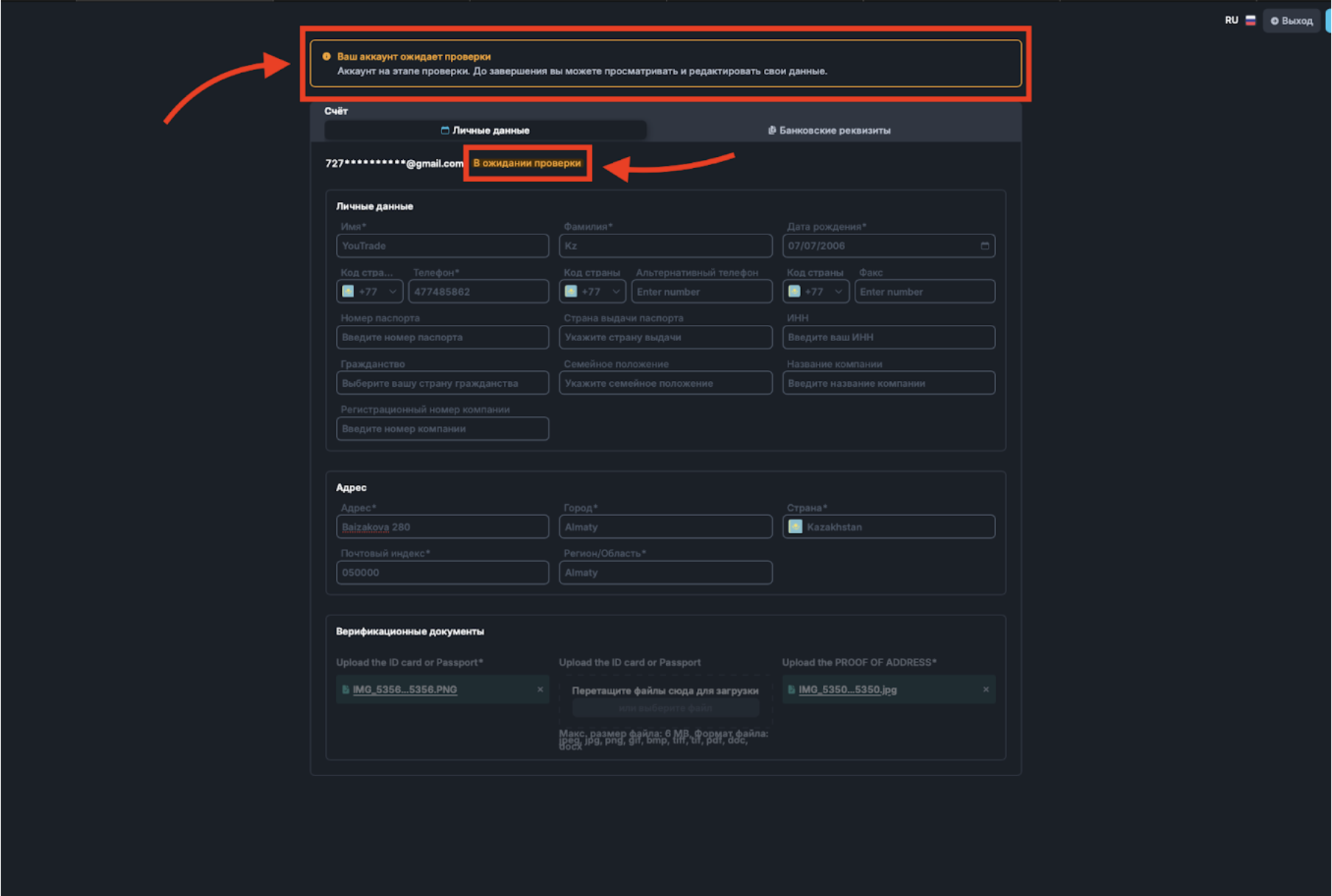
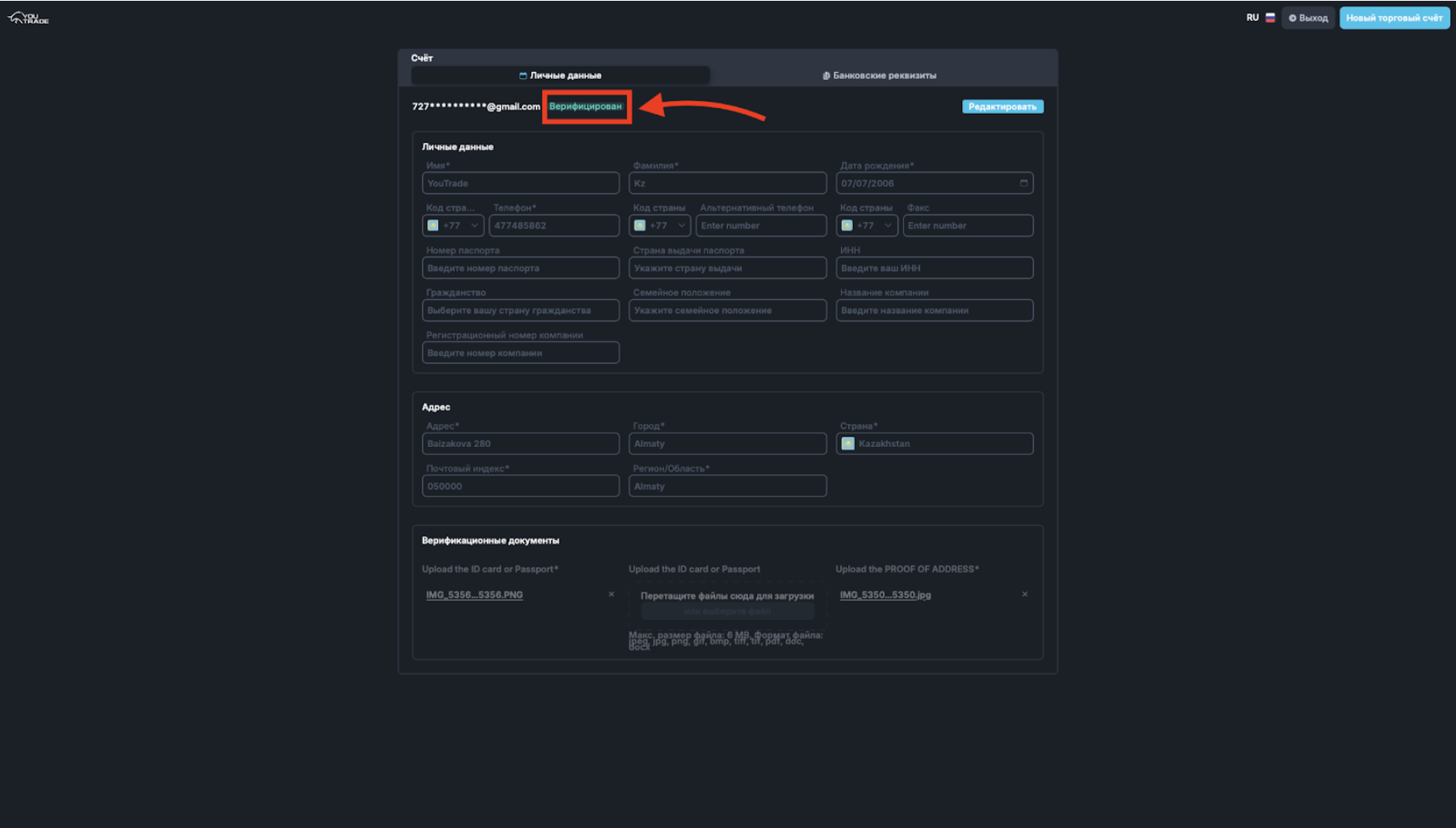
Step 5. Status 'Verified'
After successfully passing the verification, the account status will change to 'Verified'.
When KYC is mandatory
Depending on the usage scenario of the platform, verification (KYC) may be required at different stages.
Scenario 1. Transition to a funded account after passing the challenge
If you complete the registration without leaving the registration page, the dashboard will be created without mandatory KYC.
However, when you pass the challenge and need to transition to a funded account, a blue button 'Proceed to the next phase' will appear.
When you click this button, a notification will open in the upper right corner indicating the need to complete KYC:
'Please fill in the profile data and complete verification.'
Mandatory KYC stage: transition to a funded account (after passing the challenge).
Scenario 2. Purchase of an Instant account
For Instant accounts, completing KYC is mandatory before the purchase stage.
Without successful verification, it is impossible to purchase an instant account.
Mandatory KYC stage: before purchasing an instant account.
Scenario 3. Interrupted registration
If you started registration but closed the tab without completing the process, when you reopen the page, a full form will be available.
In this case, mandatory KYC fields must be filled before completing registration.
Mandatory KYC stage: re-login and complete registration.