
Registration on the “YouTrade” platform
This guide details the registration process on the YouTrade platform — from accessing the website to completing payment and logging into your personal account. Step 1. Go to the registration page Navigate to the registration page
This guide details the registration process on the platform YouTrade — from accessing the website to completing payment and logging into your personal account.
Step 1. Go to the registration page
Navigate to the registration page of the YouTrade platform using the following link:
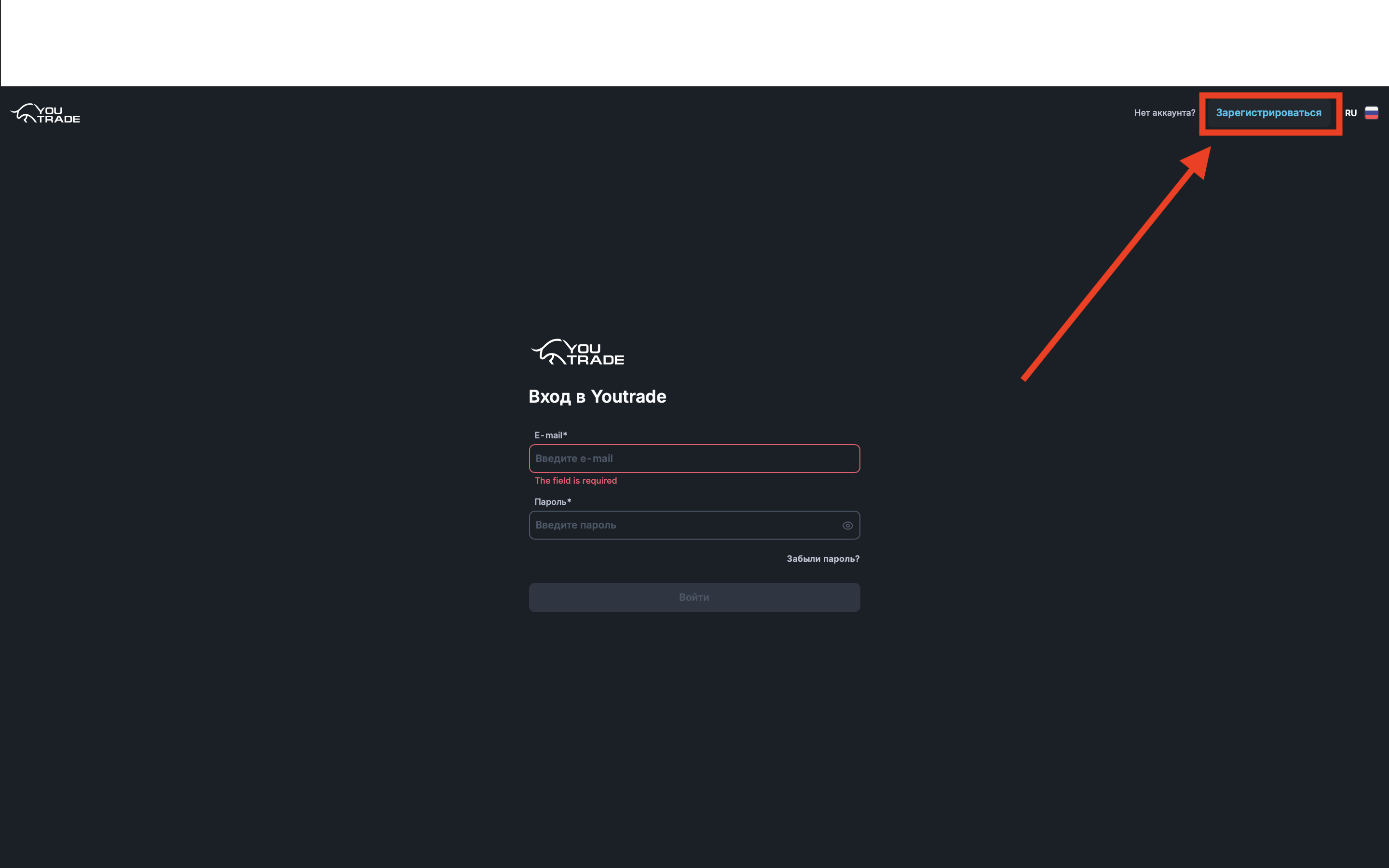
After navigating, you will arrive at the login page.
In the upper right corner of the page, click the “Register” button.
Step 2. Create an account
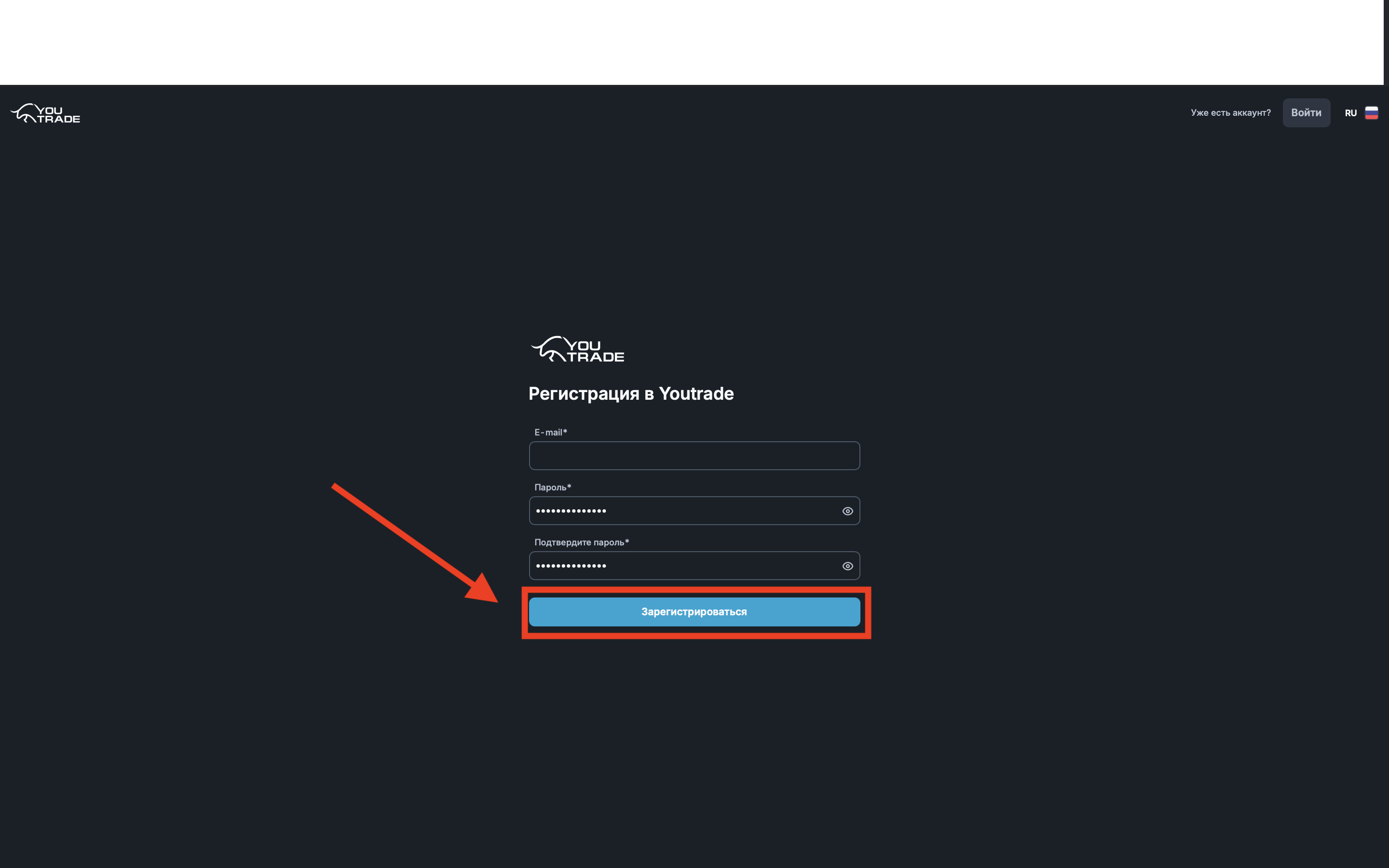
After clicking the “Register” button, a registration form will open.
You need to fill in the following fields:
- E-mail — provide your valid email address
- Password — create and enter a password for your account
- Confirm password — re-enter the same password
Important: use a real email, as login details and important notifications will be sent to it.
After filling in all fields, click the “Register” button.
Step 3. Choose account type
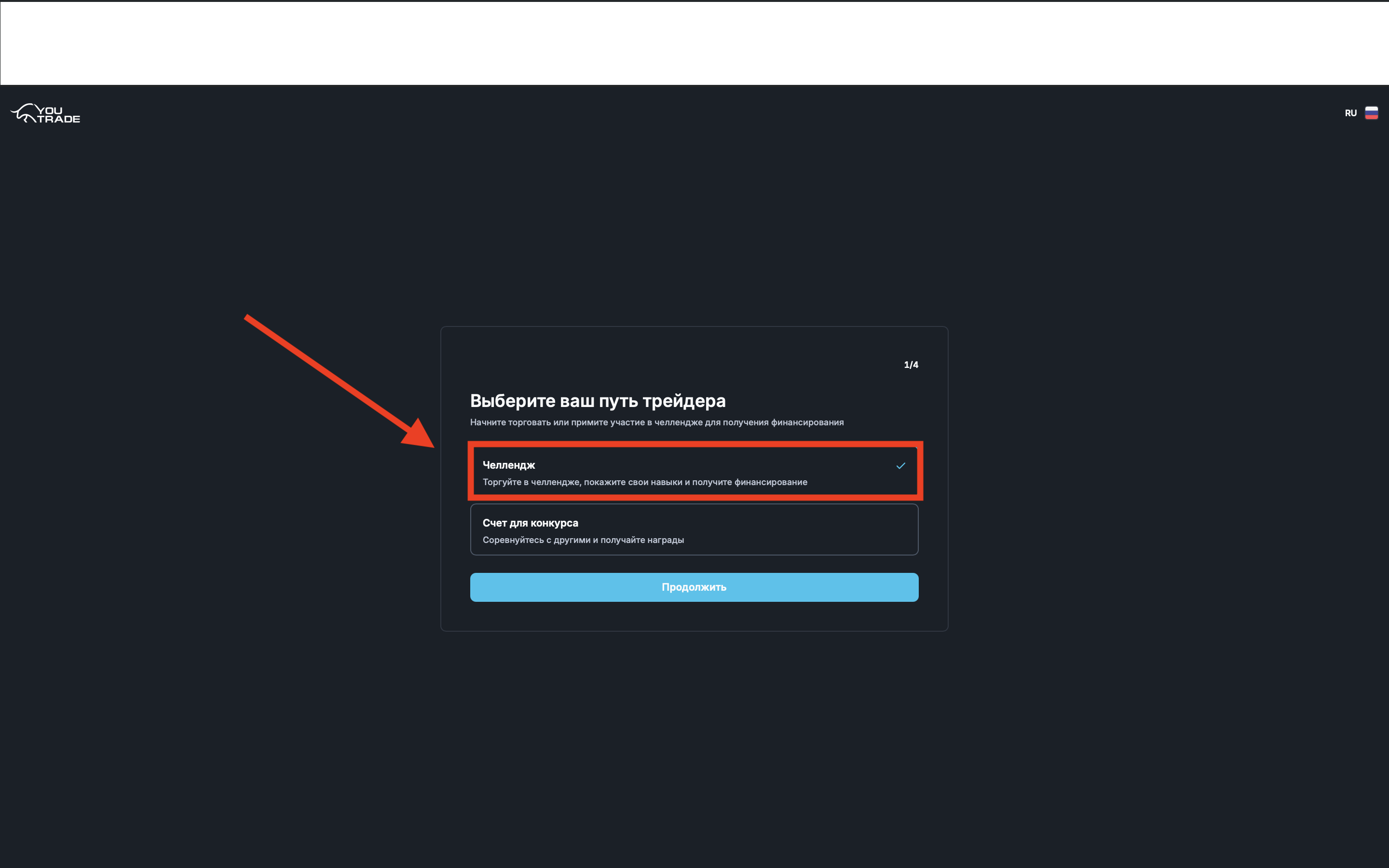
After successful registration, the account type selection screen will open.
Select the “Challenge” option.
After selecting, click the “Continue” button to proceed to the next step.
Step 4. Choose an account
Once you have selected the “Challenge” account type, the next step will present you with a list of all available tariffs on the platform.
Review the options presented and choose a tariff that suits your conditions and starting balance to continue registration.
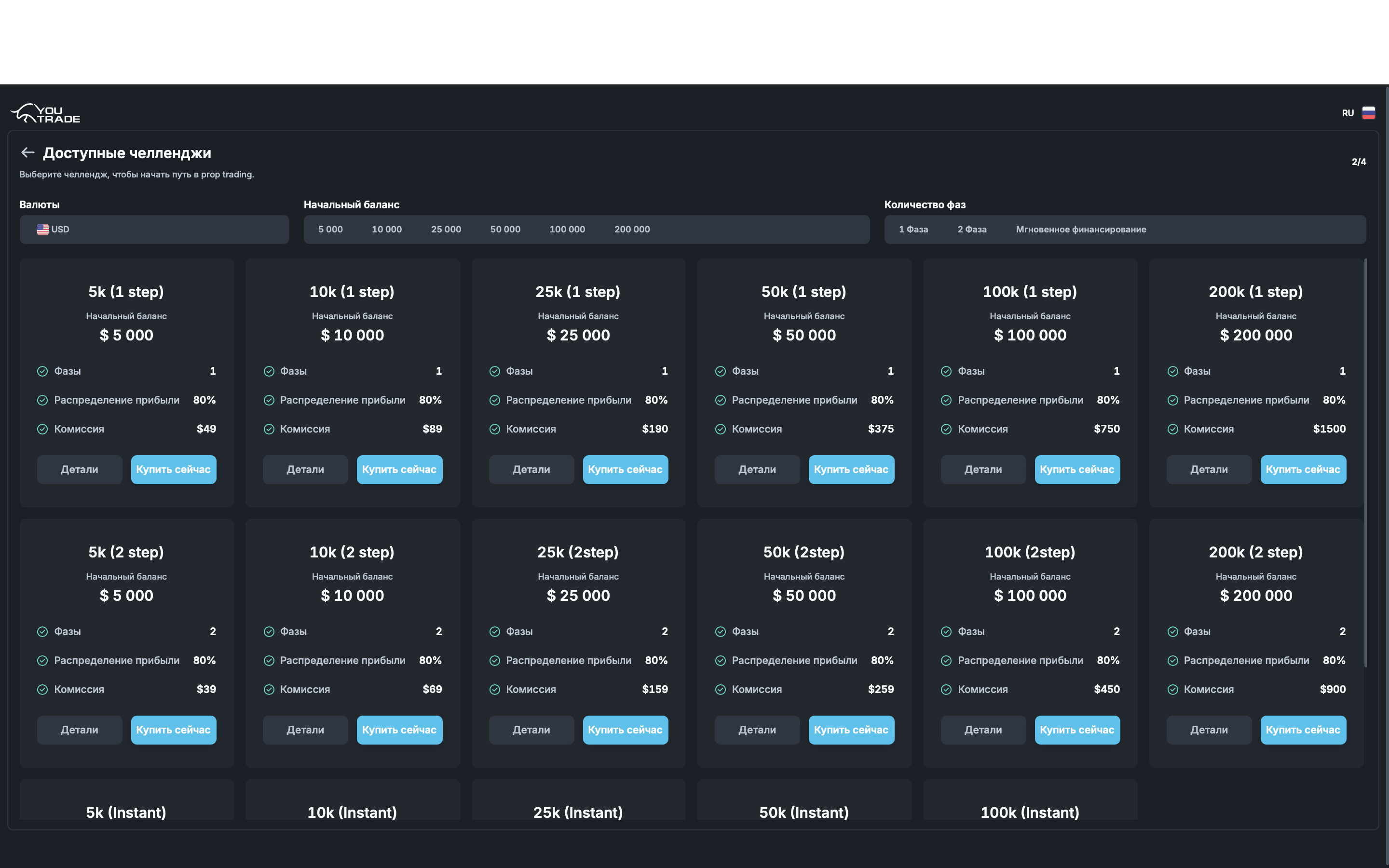
At the top of the interface, you can select the required starting balance, as well as the desired number of phases for the challenge.
If you do not wish to go through the challenge and prefer to receive funds for management immediately, you can choose the instant funding option.
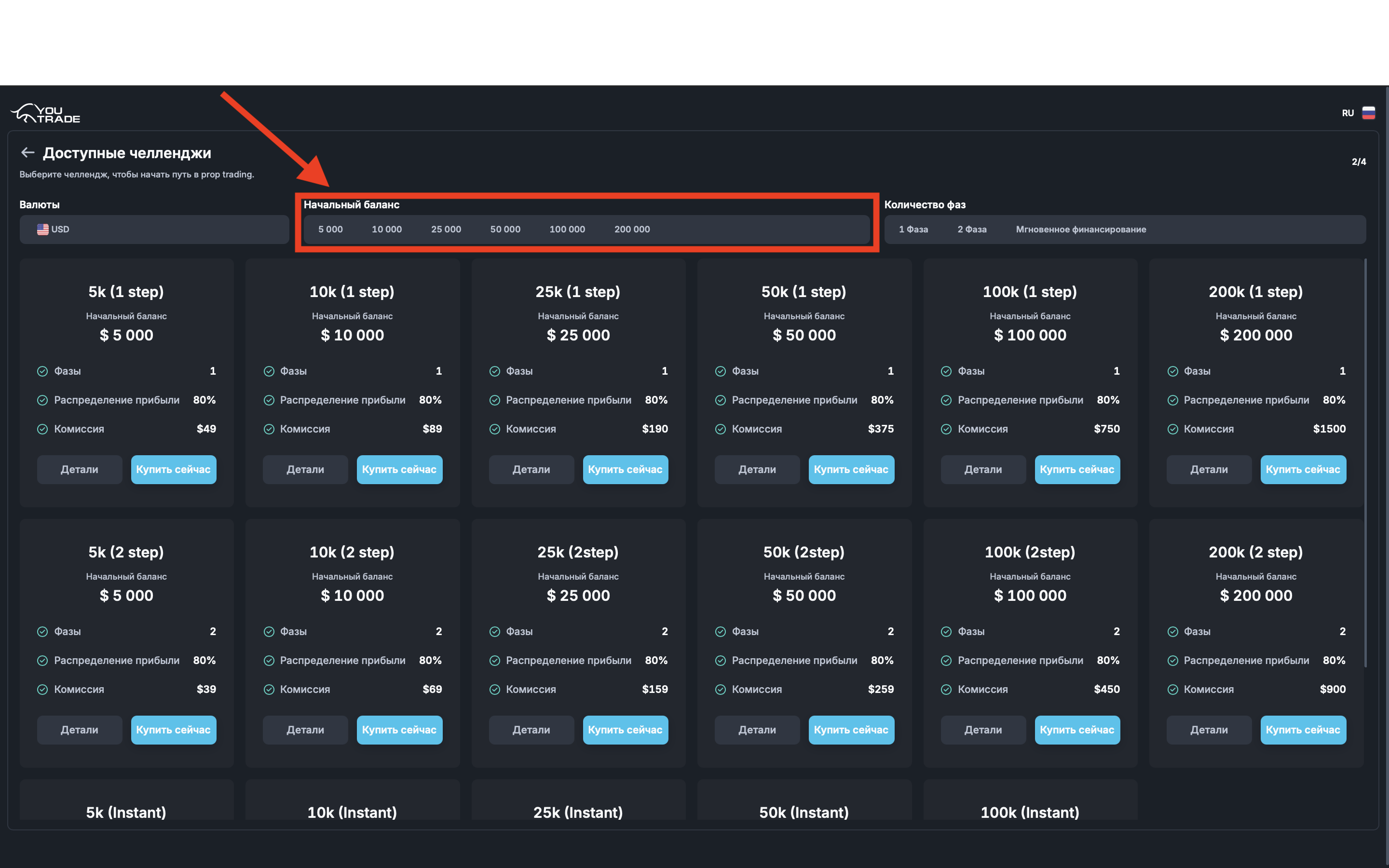
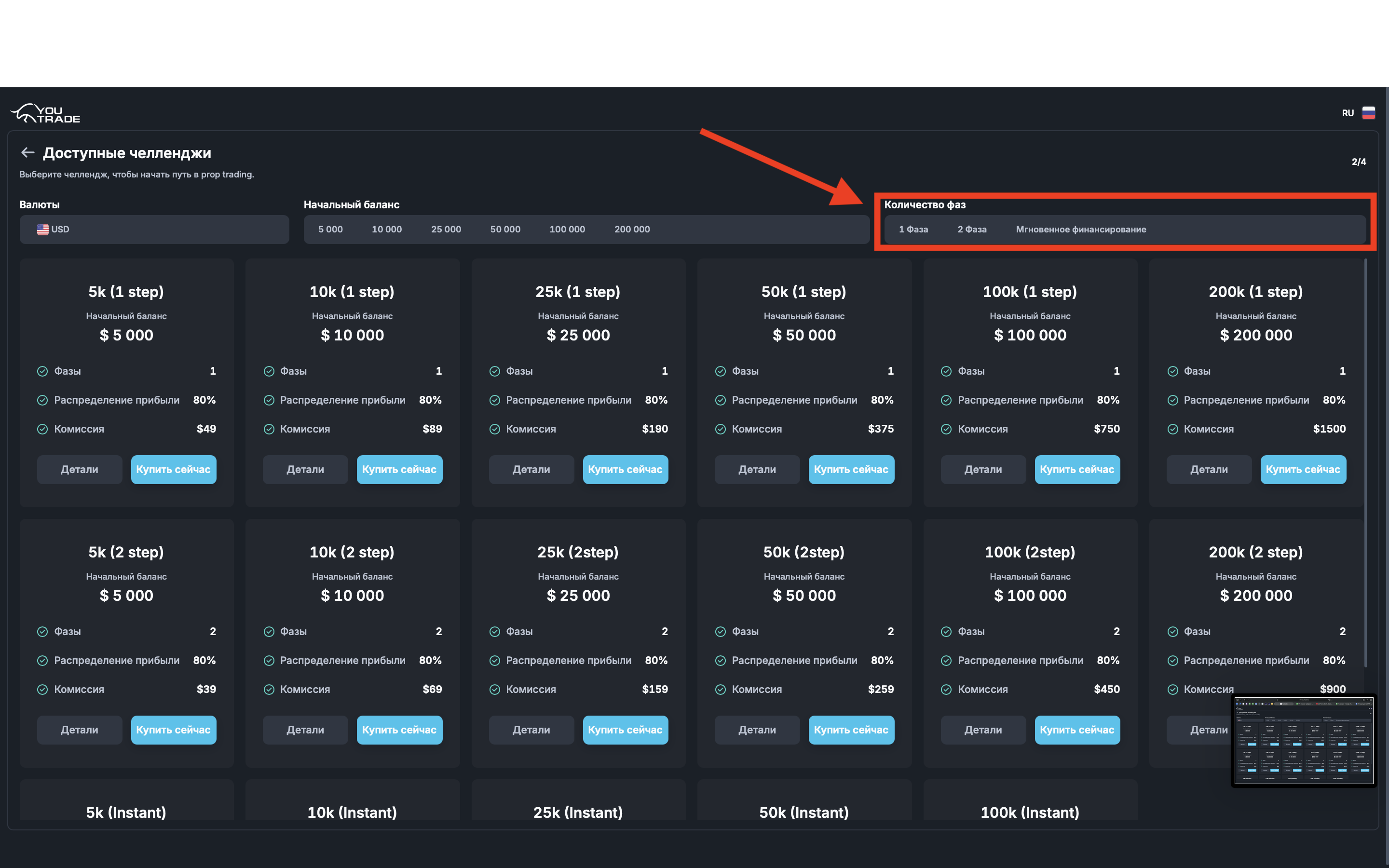
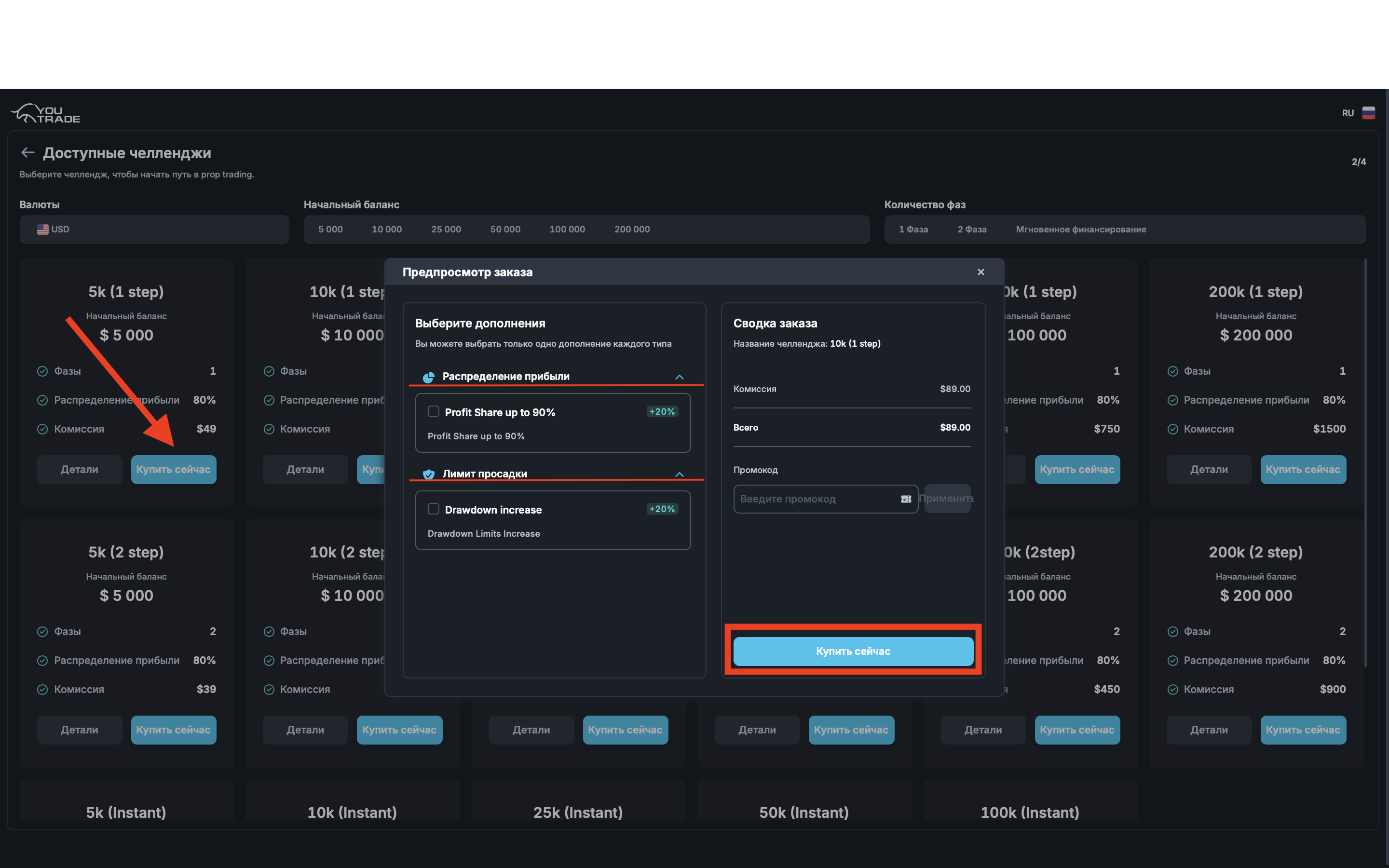
Select the tariff that suits you, then click the “Buy Now” button.
After this, a preview window will open.
In the left part of the interface, you can expand tabs with additional options that will help simplify and ease the process.
After selecting the necessary options, click the “Buy Now” button again to proceed to the next step.
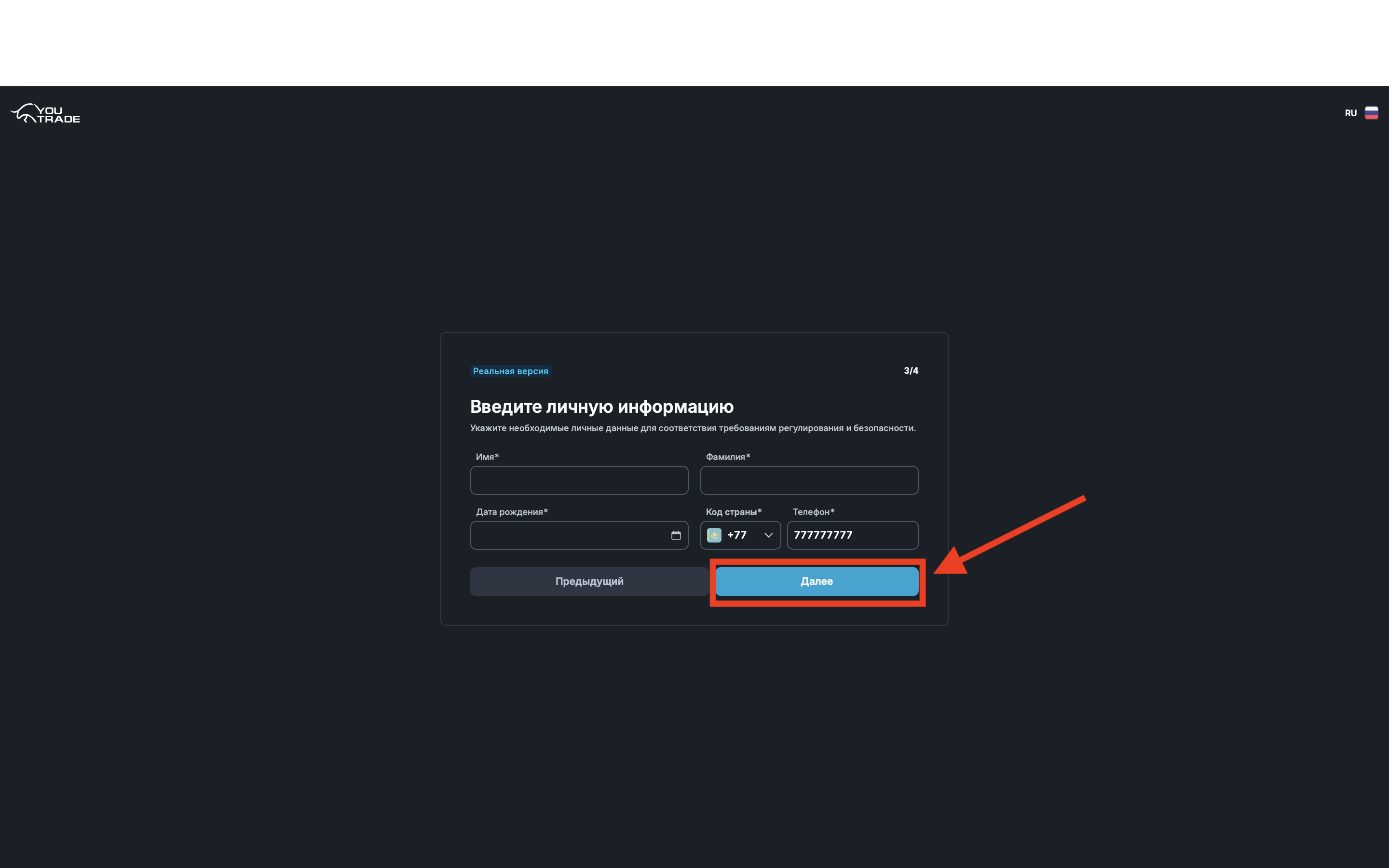
Step 5. Additional questionnaire
At this stage, you need to fill in basic information about yourself:
- First name
- Last name
- Date of birth
- Phone number
Important: it is recommended to provide real data, as they may be required in the following stages of working with the platform.
After filling in all fields, click the “Next” button.
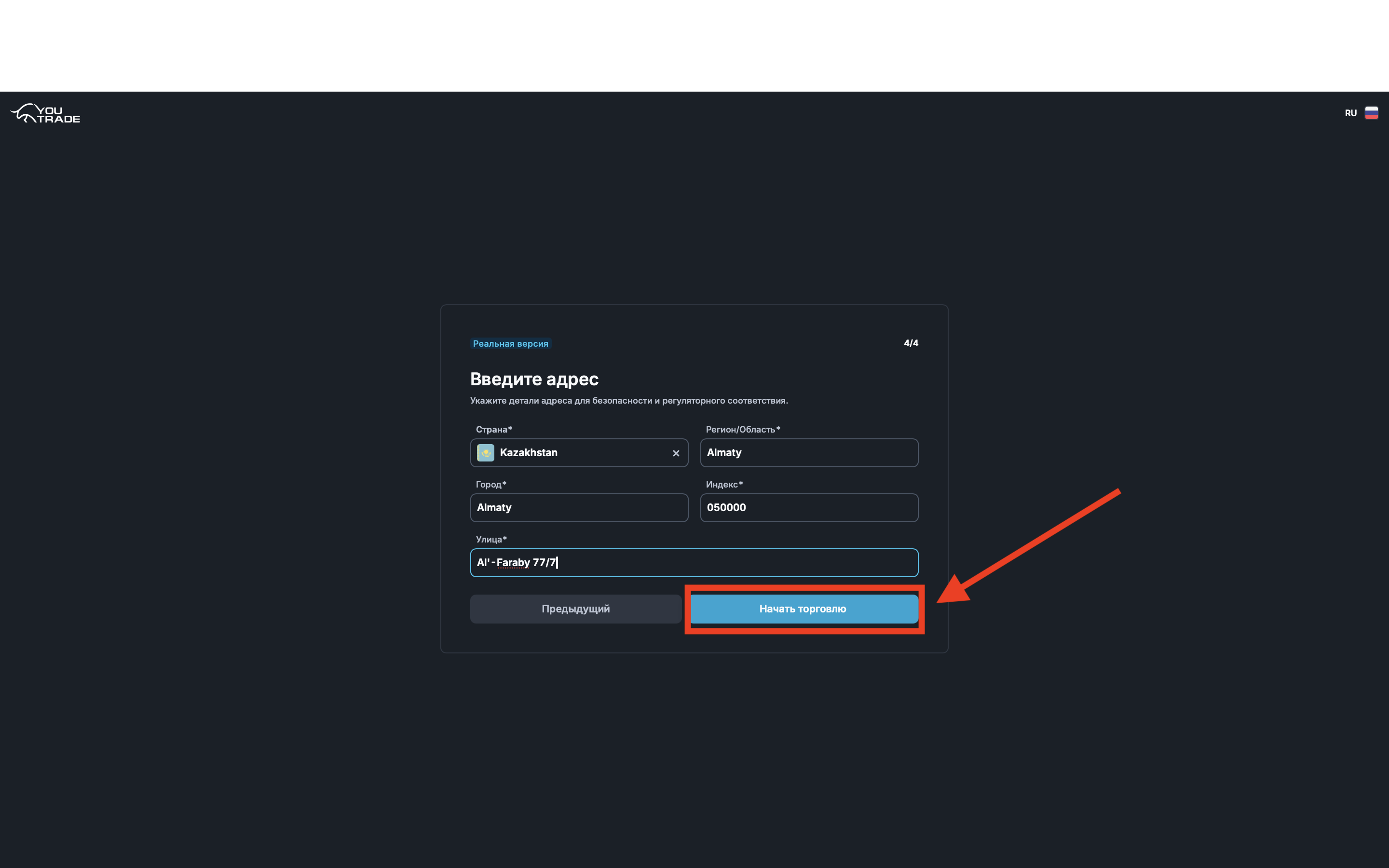
Step 6. Address and place of residence
Please provide the following information:
- Country of residence
- Region / area
- City
- Postal code
- Street
Important: verification will be required later, so enter only real data.
After filling in all fields, click the “Start Trading” button.
Step 7. Go to personal account and payment of the account
After completing registration, you will be automatically redirected to your personal account.
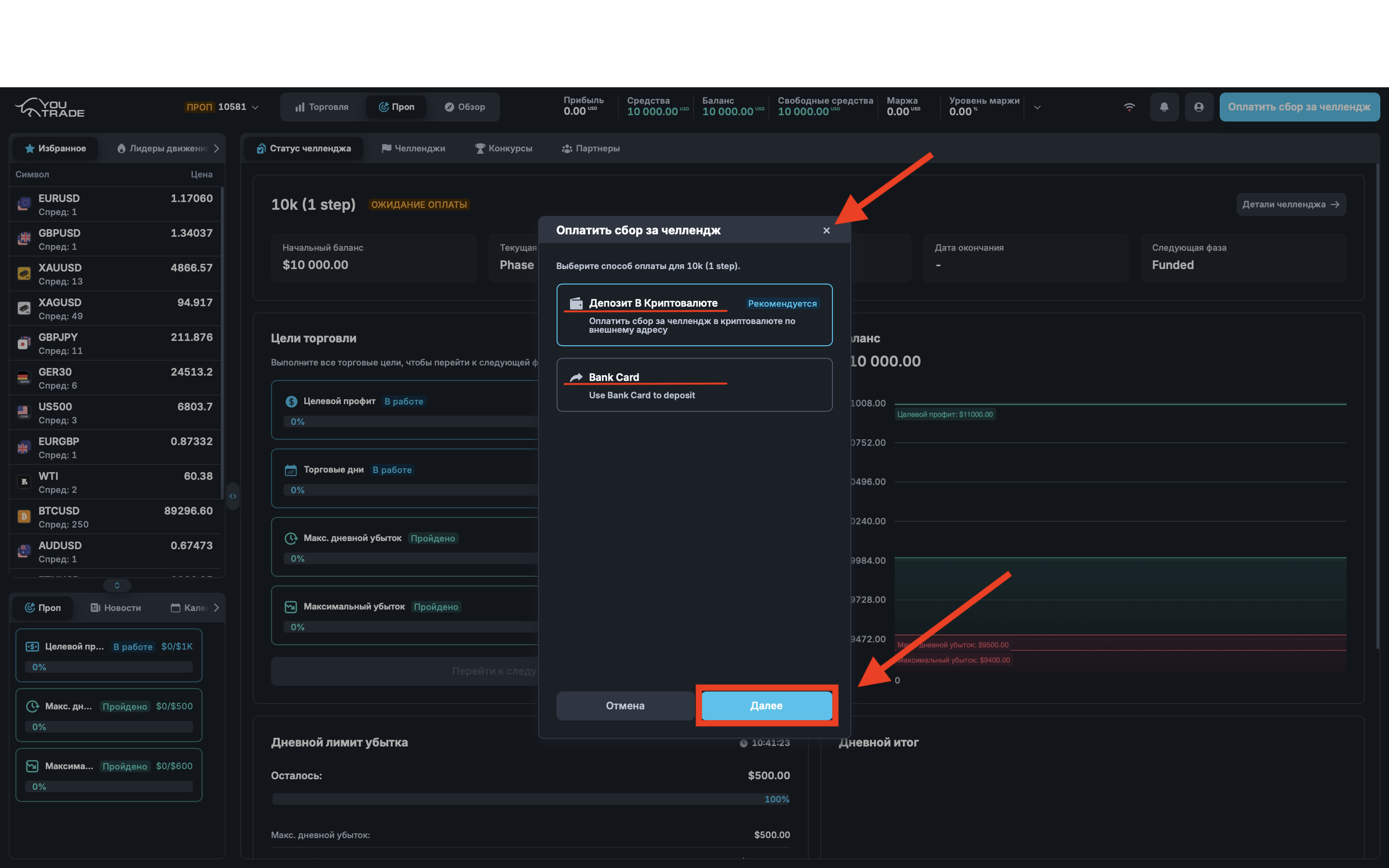
You will immediately see the payment window for the selected account.
If you are ready to pay the account immediately:
- Select a convenient payment method
- Click the “Next” button
- Complete the payment process by following the instructions available in the tutorial
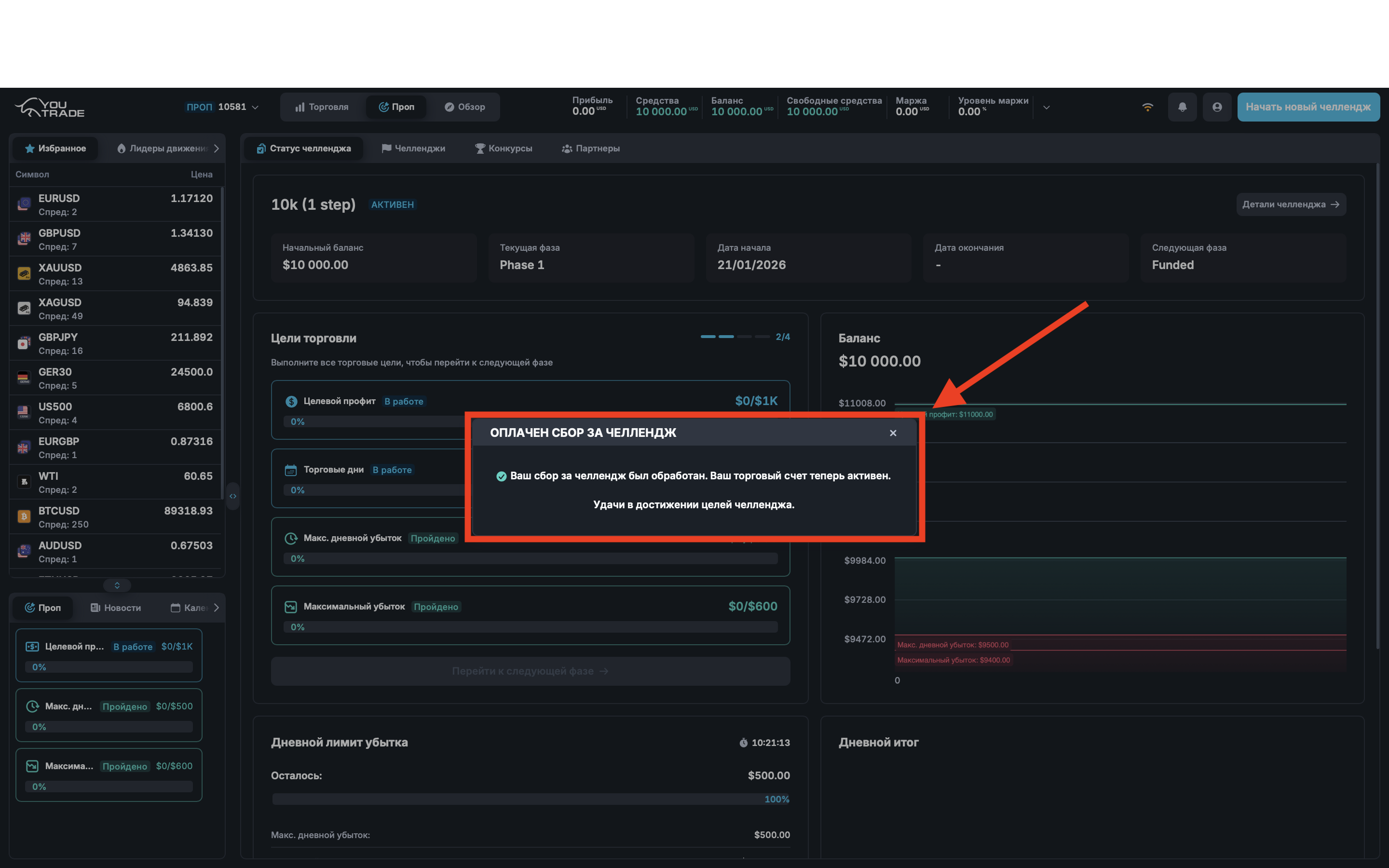
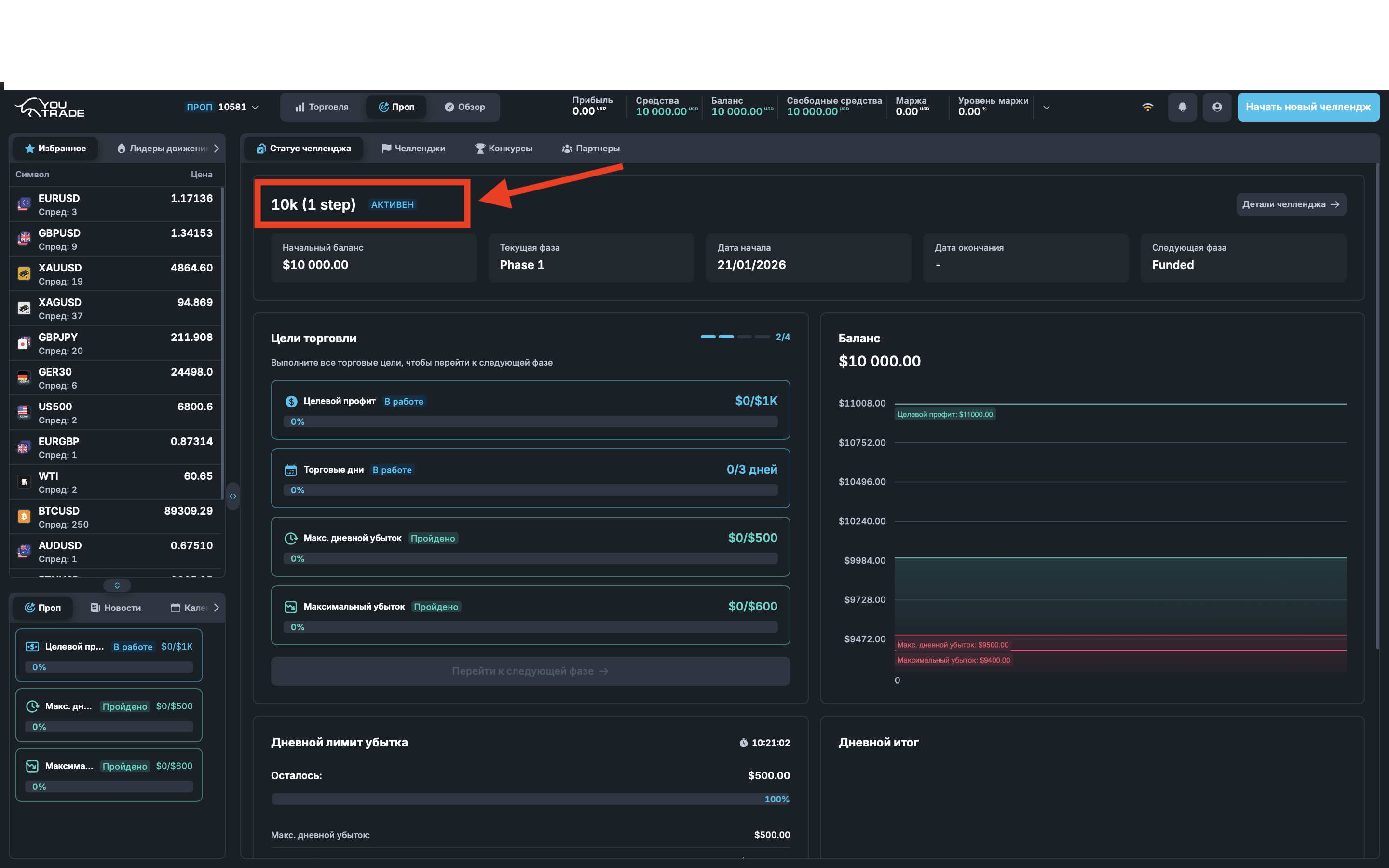
After successful payment, the trading account will be fully available for use.
If you want to pay later:
You can close the payment window by clicking the cross.
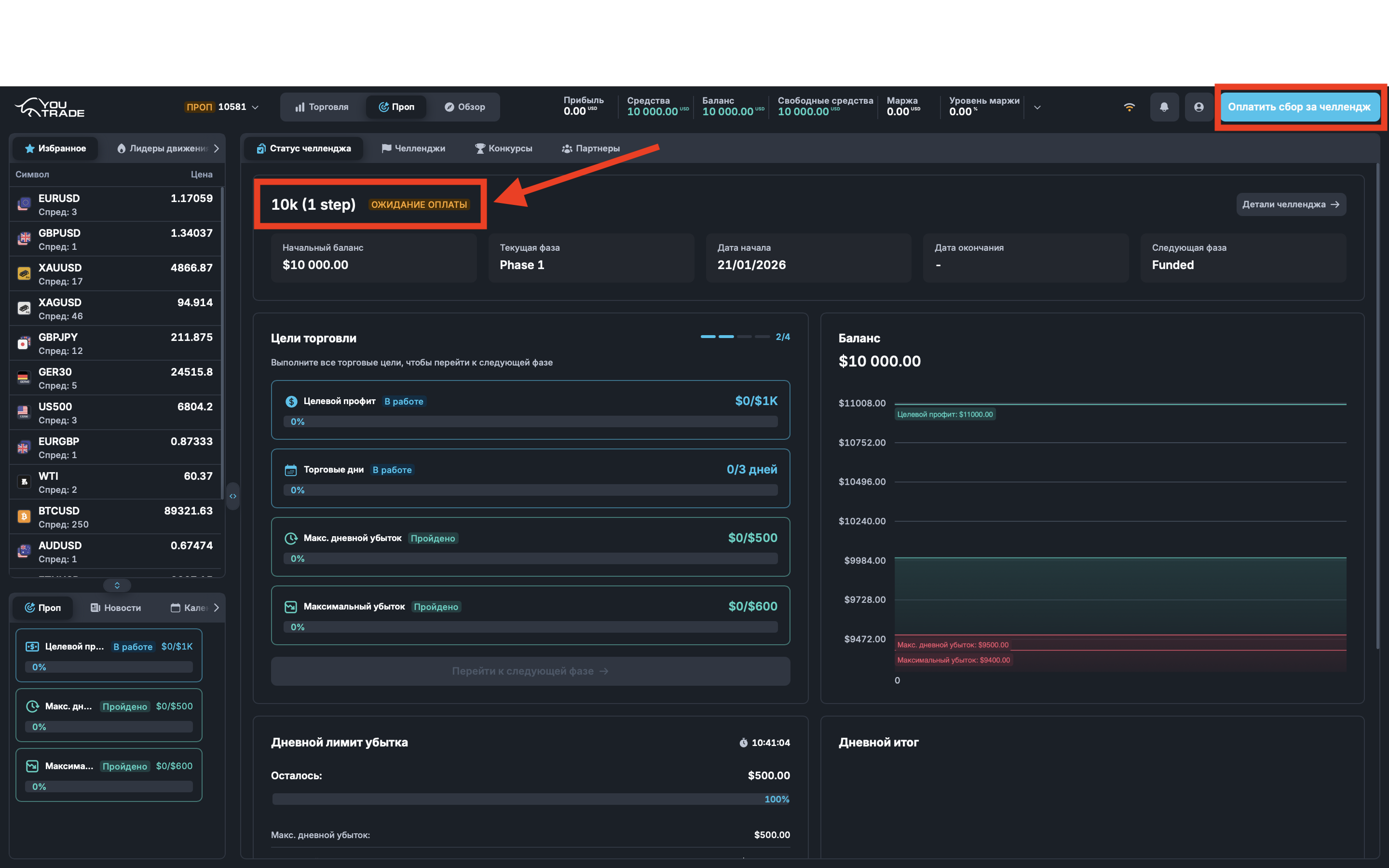
In this case, the account will remain in your personal account with the status of unpaid and will be marked in yellow.
You can return to payment at any convenient time. For this, a button “Pay Challenge Fee” will be available in the upper right corner.
Registration completed
Congratulations!
The registration process on the YouTrade platform has been successfully completed.
You now have access to your personal account and the selected trading account.
You can start trading immediately after payment or return to it later at your convenience.
We wish you successful completion of the challenge, confident decisions, and stable results in trading.
Trade disciplined and strictly follow the rules — this is the key to success.
Welcome to YouTrade and good luck in the market!